
Samsung Wonderland
Screenshots
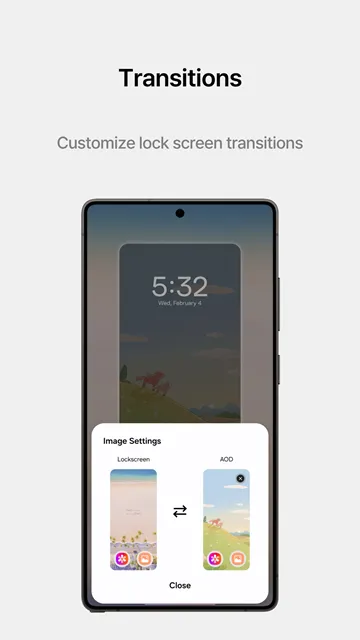
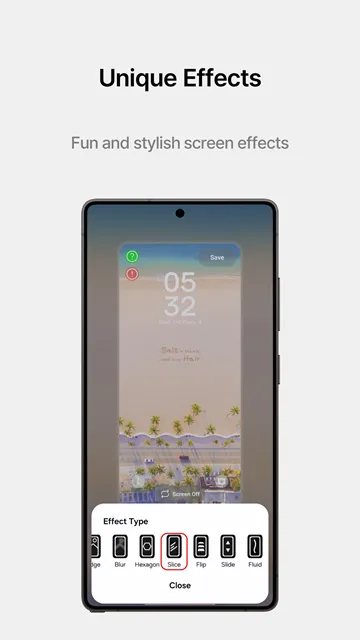
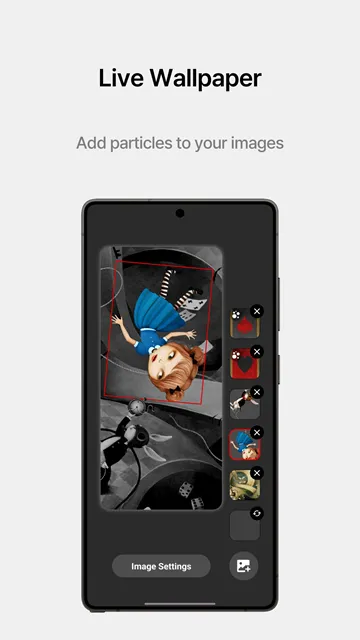
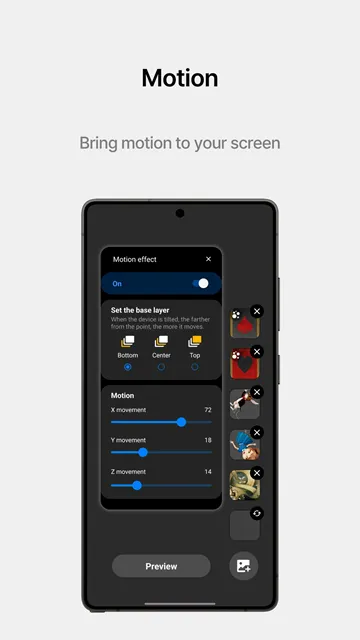
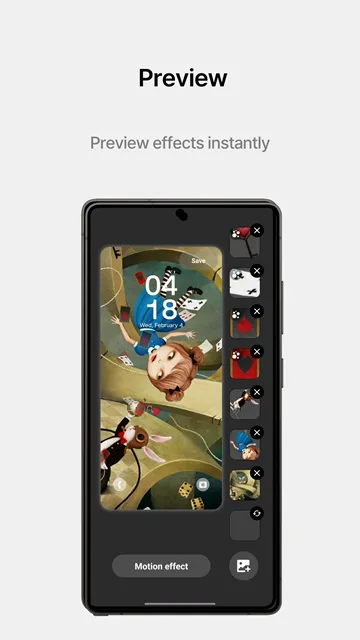
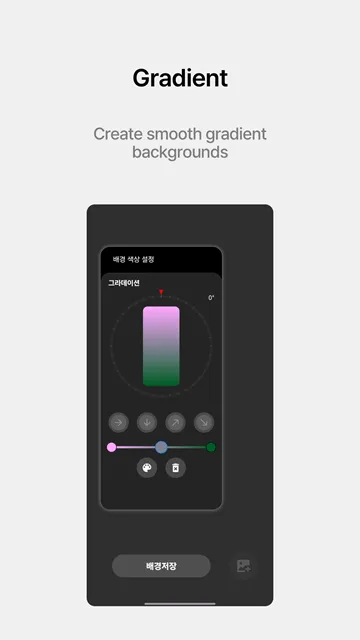
Samsung Wonderland offers a great way to personalize your smartphone screen. Many users want to change their boring static backgrounds. Therefore, this customized module provides a fun solution for everyone. You can create amazing motion wallpapers with unique visual depth. Consequently, your phone home screen will look alive and highly interactive.
However, you might wonder how to utilize this advanced customization tool correctly. This guide provides all the necessary details to help you master the design process. You will learn the best tricks to create breathtaking screens. Additionally, you can find the complete setup instructions below. Let us explore how you can transform your device style.
Moreover, the customization process does not require deep technical knowledge. Anyone can learn the basic functions within a few minutes. You just need some creativity and your favorite picture files. Soon, you will enjoy a completely refreshed user experience.
What Is Samsung Wonderland?
Samsung Wonderland is an official customization module created for modern galaxy devices. Specifically, it belongs to the popular Good Lock customization suite. This software allows you to build custom moving wallpapers from scratch. You do not need any professional coding skills to use it. Instead, you just use your favorite photos and creative ideas.
Furthermore, the module uses a layered design system to create a unique 3D moving effect. You can choose different images for your background layer. Then, you can add floating items on top of that base layer. Because the software tracks your phone movement, the elements move when you tilt your device. This creates a realistic parallax effect on your mobile screen.
Look closely at the editing interface above. You can see the separate graphic layers on the right side of the screen. Notice the Motion effect button at the bottom. This layout lets you verify how elements like mountains and snowflakes stack together.
Consequently, users get total control over their daily visual interface. You can adjust the movement speed, the angles, and the particle sizes easily. This module replaces traditional static pictures with interactive art. Therefore, your phone feels premium and unique every time you unlock it.
In addition, the tool integrates perfectly with your existing system interface. It does not cause lag during normal operations. The developers update the software regularly to support new system versions. As a result, performance remains smooth and stable over time.
Key Features of Samsung Wonderland
Samsung Wonderland includes several advanced tools that make wallpaper creation simple. First, you get access to a multi-layered editing workspace. You can stack multiple image layers on top of each other. This setup lets you create deep environments like landscapes or abstract designs.
Second, the tool provides a wide range of motion effects. For instance, you can apply sliding animations or rotational movements. These animations respond instantly when you touch your display screen.
Here are the main features you can enjoy:
- Layered image placement for beautiful 3D depth effects.
- Custom particle effects like falling snow or rain droplets.
- Touch animation triggers that react to your finger taps.
- Pre-made templates for quick and effortless editing results.
- High-resolution exports that preserve your original photo quality.
Additionally, you can adjust the sensitivity of the movement sensors. If you want subtle motion, you can lower the effect settings. Alternatively, you can maximize the settings for a dramatic visual style. This flexibility ensures that your screen matches your exact personal taste.
Furthermore, you can add text layers to your creations. You can customize the font style, size, and color easily. This option allows you to place motivational quotes directly on your home screen. Consequently, your wallpaper becomes both beautiful and functional.
How to Setup Samsung Wonderland
To start your customization journey, you must follow a few specific configuration steps. First, ensure your device supports the Good Lock system. Because this is a specialized module, it requires a compatible layout. You can find the main installer package on your official device platform.
Next, follow these clear installation steps:
- Open your chosen file provider or installation source.
- Search for the latest installation package of the module.
- Download the installation file directly to your smartphone storage.
- Allow your system to install files from unknown sources if necessary.
- Open the main interface to activate your new creative workspace.
Then, grant the necessary storage permissions to the module. This step is important because the tool needs to load your personal gallery photos. Without these permissions, you cannot select your custom background textures. Once you complete this basic setup, you can begin designing your moving themes.
Moreover, always download the file from a secure online platform. This caution protects your device from potential security risks. Unofficial packages might contain errors that disrupt your phone performance. Therefore, sticking to trusted download sources is always the smartest choice.
Understanding Your Customization Options
When you launch the design editor, the interface presents a clear preview window. This preview helps you visualize how the final design looks on your homepage. Therefore, you can make adjustments before saving your final creation. You can select a default template to save time. However, building from scratch gives you maximum creative freedom.
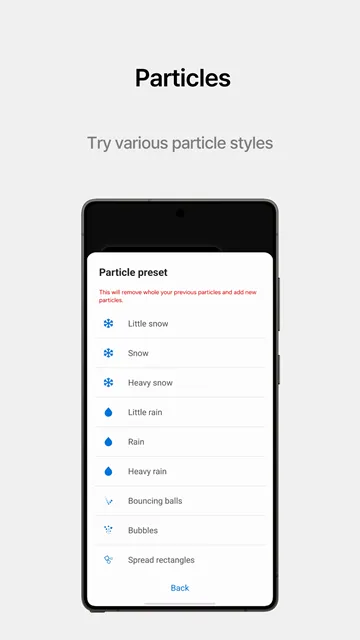
Furthermore, you can select specific particle presets to decorate your design. For example, you can add flying stars, autumn leaves, or glowing bubbles. The editor allows you to change how these particles behave over time. You can adjust their falling speed and their overall density on screen.
Consequently, every design you create becomes an expression of your mood. You can build a cozy winter theme with slow falling snowflakes. Alternatively, you can create a futuristic cyberpunk screen with neon sparks. The customization options accommodate almost any design concept you can imagine.
In addition, you can choose specific motion properties for each layer separately. For example, the background can remain still while the foreground moves quickly. This contrast enhances the visual illusion of real depth. It makes your flat screen feel like a miniature three-dimensional world.
Creating Perfect Motion Wallpapers
Creating a perfect moving background requires a bit of planning. First, choose a high-quality background picture with clear details. A blurry image will look worse when you apply the movement effect. Therefore, always use high-resolution photographs for your base layer.
Second, think about the separation of your visual elements. For instance, put a distant sky in the bottom layer. Then, place mountains in the middle layer and trees in the foreground. This layout enhances the 3D parallax illusion significantly when you move your device.
Finally, test your touch responses within the editor. You can set up particles to explode from your finger whenever you tap the screen. This interactive element makes checking your notifications a fun experience. Remember to save your progress frequently so you do not lose your adjustments.
Additionally, keep your home screen app icons in mind. Do not place busy design elements right behind your main shortcuts. Otherwise, you will struggle to read your app labels clearly. A balanced layout ensures both beauty and everyday usability.
Fixing Common Configuration Issues
Sometimes, users face minor technical difficulties while using the software. For example, your moving background might stop animating suddenly. This issue often happens because of aggressive battery saving modes. Consequently, your system pauses background processes to preserve power. To fix this, disable battery optimization for the module.
Another common issue involves frozen layers after a system update. If this happens, you should clear the cache of Samsung Wonderland. Go to your device settings, find the manager menu, and select clear cache. This action removes temporary files that might cause conflicts.
Lastly, ensure your phone gyroscope sensor functions properly. Because the 3D effect relies on movement sensors, a broken sensor will stop the animation. You can restart your device to recalibrate the internal sensors. These simple steps usually resolve most performance errors quickly.
Furthermore, check if your Good Lock system requires an update. Running outdated core software can cause compatibility glitches with individual modules. Keeping all related components updated guarantees a smooth experience. If problems persist, try reinstalling the module completely.
Final Thoughts
Customizing your smartphone display helps you enjoy your device much more. Samsung Wonderland provides the exact tools needed to escape boring default styles. You can transform your phone into a dynamic canvas of moving art. The creation process is both entertaining and deeply rewarding.
Moreover, the software does not drain your battery excessively when optimized correctly. You can enjoy beautiful animations without sacrificing your daily phone performance. Start experimenting with different layers and particle combinations today. You will surely surprise your friends with a completely unique mobile interface.
In conclusion, taking time to design your screen reflects your personal identity. The tool gives you all the creative power without any complex hurdles. Download the setup file today and unlock your device aesthetic potential. Your smartphone deserves a look that is truly your own.